Website Redesign Checklist: What Businesses Should Audit Before Rebuilding
 September 16, 2026
 Reading time: 7 min read
 Category: Guides
 12
12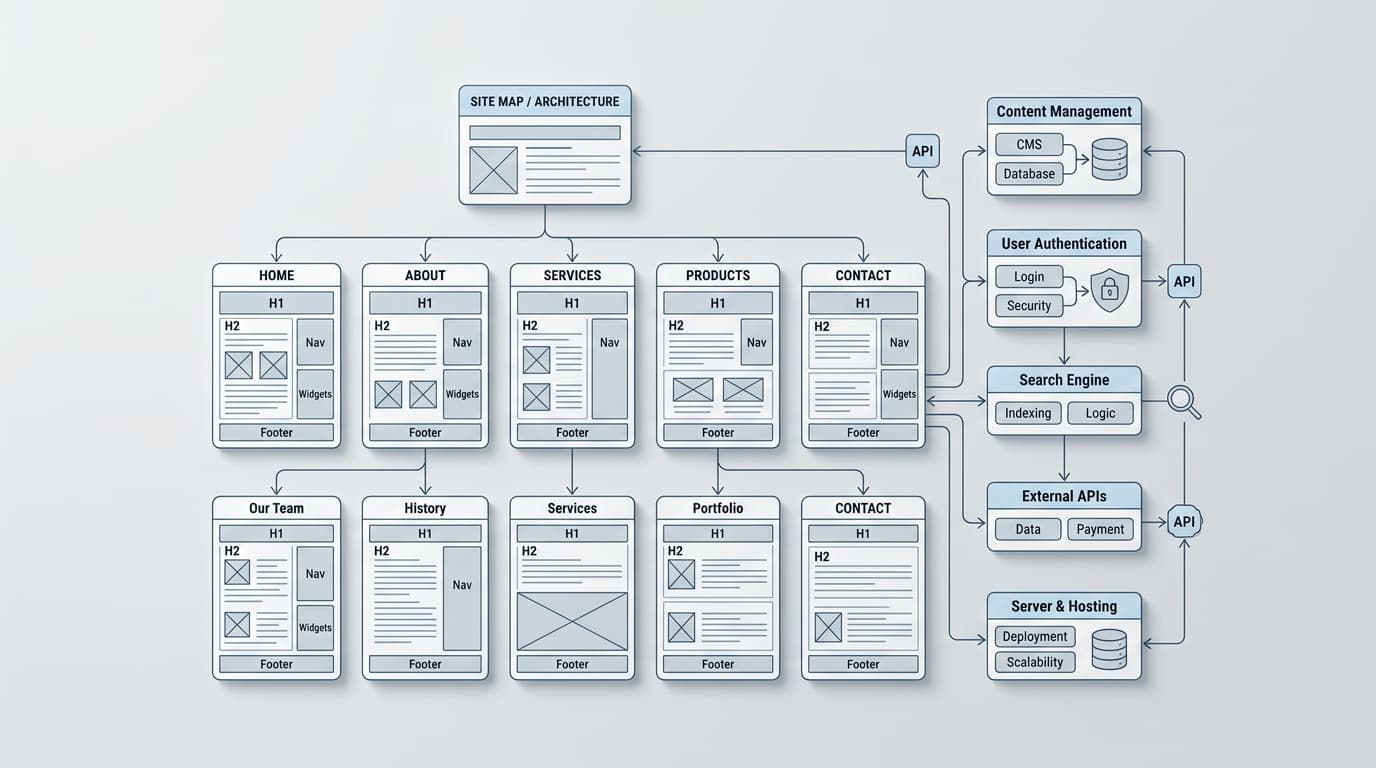
Use this comprehensive website redesign checklist to audit business goals, SEO, analytics, technical debt, and integrations before rebuilding your platform.
A full platform rebuild is one of the most resource-intensive initiatives a business can undertake. While digital leaders often view a site overhaul as the ultimate solution for declining conversion rates or outdated branding, diving straight into code and design without a clear pre-redesign strategy frequently leads to project delays, scope creep, and unexpected SEO traffic drops. Successful digital transformations do not begin with wireframes; they begin with a rigorous, comprehensive audit.
A modern website redesign checklist requires technology leaders and marketing teams to evaluate their existing digital ecosystem before making structural changes. Not every aging asset needs to be completely torn down—often, targeted enhancements, modular upgrades, or backend optimization deliver better returns with significantly less risk. The following technical and operational checklist will help you identify what to audit before deciding to rebuild your platform.
1. Aligning Business Strategy and Key Performance Indicators
Before making design or architectural changes, clearly define the commercial objectives driving the initiative. Redesigning a site merely because it feels visually outdated often results in missed performance targets and wasted budget. Business leaders must connect every technical enhancement directly to measurable organizational goals.
Define primary conversion goals: Identify whether the objective is generating higher-quality B2B leads, increasing average order value (AOV) in e-commerce, improving user retention, or streamlining customer support pipelines.
Establish clear performance baselines: Document current benchmarks for conversion rates, customer acquisition cost (CAC), bounce rates, and lead qualification speed.
Map stakeholder expectations: Ensure executive leadership, sales teams, digital marketing units, and IT agree on what the rebuilt site must accomplish technically and commercially.
2. Auditing Analytics and User Behavior Data
Your current platform holds years of actionable user data. Redesigning without analyzing existing behavioral trends risks eliminating top-performing layouts, valuable entry points, and high-converting user flows.
Quantitative Data Analysis
Review web analytics to uncover how visitors navigate your site. Analyze traffic sources, device breakdowns, top landing pages, and drop-off points in your funnels. Pay close attention to mobile conversion rates versus desktop; a severe gap often indicates deep-seated user experience friction or technical debt rather than a fundamental offer issue.
Qualitative Insights
Incorporate session recordings, heatmaps, and direct customer feedback to understand why users behave the way they do. Identify recurring friction points, such as confusing navigation items, hidden checkout buttons, or slow-loading multi-step forms. These qualitative findings directly inform your target site architecture.
3. Content Inventory and Structural Auditing
A website rebuild offers an ideal opportunity to clean up redundant, outdated, or trivial content (ROT). Migrating every existing page blindly wastes development effort and dilutes domain authority.
Categorize existing assets: Build a complete spreadsheet mapping every published URL, its associated traffic, backlink counts, and conversion contributions.
Determine page disposition: Classify every asset into one of four actions: Keep As-Is, Refresh/Update, Merge/Consolidate, or Prune/Redirect.
Evaluate brand alignment: Ensure all core messaging reflects current market positioning, product offerings, and corporate narrative across key regions.
4. Technical SEO and Organic Search Protection
The single greatest commercial risk during a platform rebuild is the sudden loss of organic search visibility. Decoupling design or changing URL structures without a disciplined migration strategy can destroy years of accumulated domain authority.
Audit your top-performing search assets early in the process. Map all existing URLs to their prospective destination pages to preserve link equity. When selecting high-performance digital architectures or planning continuous growth workflows, working with specialized partners in modern website design and development allows enterprises to align advanced frontend frameworks with precise technical search requirements.
In addition to 301 redirect planning, audit your structured data (schema markup), internal linking hierarchy, and canonical tag configurations. Missing these technical details during a rebuild frequently triggers indexation issues after launch.
5. Inventorying Systems, Integrations, and Technical Debt
Modern platforms rarely operate in isolation. They function as central nodes connected to enterprise resource planning (ERP) software, customer relationship management (CRM) tools, marketing automation platforms, payment gateways, and custom API endpoints.
Map all third-party dependencies: Document every script, plugin, webhook, and integration currently active on your site. Identify obsolete code snippets that degrade page speed.
Assess legacy technical debt: Determine whether legacy custom code, proprietary CMS restrictions, or unmaintained database structures are limiting business scalability.
Plan API and middleware requirements: Verify whether your backend software supports modern integration standards (GraphQL, REST APIs) or if intermediate middleware is required for seamless data synchronization.
6. Performance, Core Web Vitals, and Infrastructure
User expectations around page load times continue to rise, and page speed remains a direct ranking factor in global search algorithms. A visually impressive site that loads slowly will ultimately underperform commercially.
Evaluating Baseline Metrics
Run thorough benchmarks using tools like Google PageSpeed Insights and WebPageTest across both desktop and mobile connections. Measure key metrics, including Largest Contentful Paint (LCP), Interaction to Next Paint (INP), and Cumulative Layout Shift (CLS).
Infrastructure and Hosting Capabilities
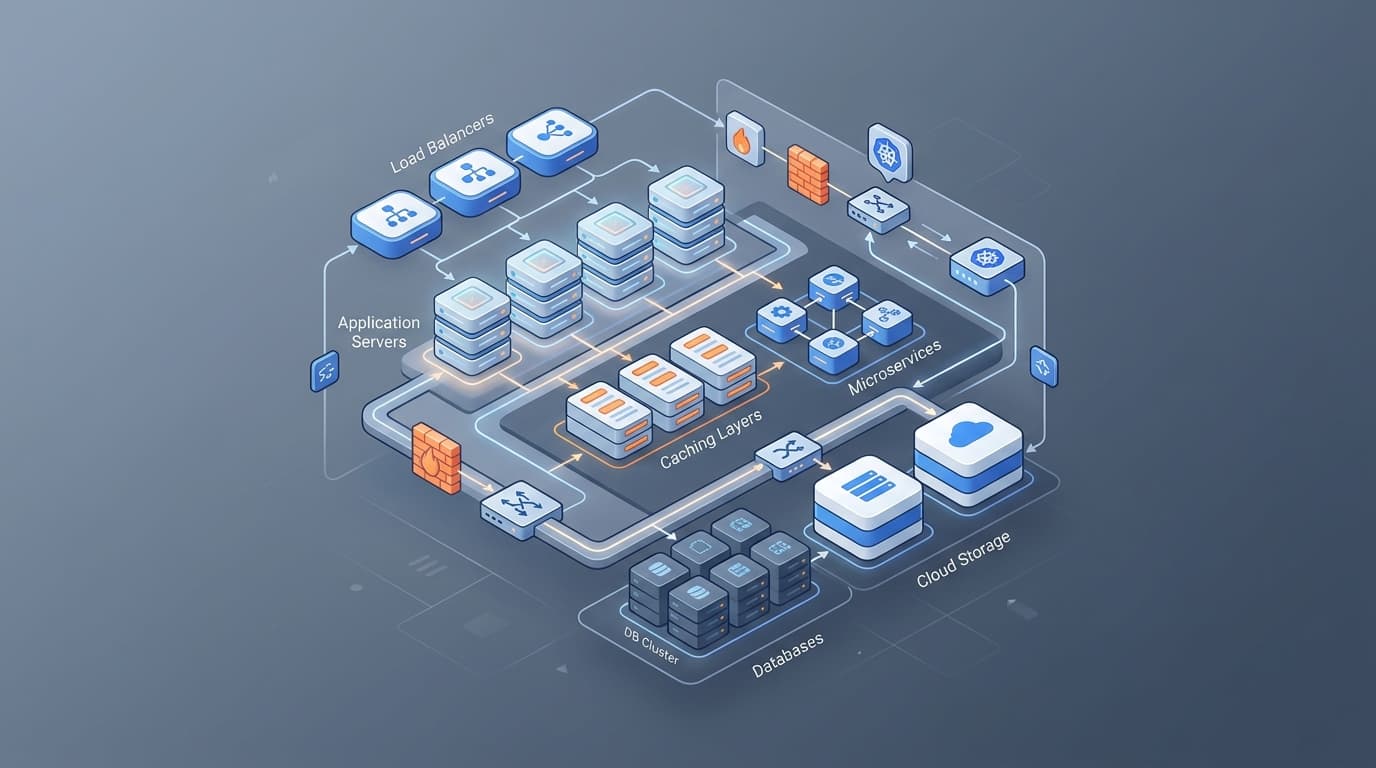
Determine whether your existing hosting platform can support expected traffic spikes, global content delivery network (CDN) demands, and modern headless or microservice architectures. Transitioning to modern serverless or cloud-native infrastructure during a rebuild can significantly lower maintenance costs and improve global availability.
7. Accessibility and Legal Compliance
Digital accessibility is both an ethical responsibility and a regulatory necessity across major international business hubs, including the UAE and global markets. Auditing your platform for WCAG (Web Content Accessibility Guidelines) compliance before building protects your brand from regulatory risk and expands your total addressable market.
Color contrast and typography: Verify that color combinations meet standard contrast ratios and that text remains legible across various screen resolutions.
Keyboard navigation and screen readers: Ensure all interactive elements, dynamic popups, and dropdown menus can be navigated using keyboard commands and assistive tools.
Data protection and privacy compliance: Audit cookie consent mechanisms, privacy policies, and form consent flows to ensure compliance with relevant regional and international data protection laws.
8. Modernizing UI/UX and Component Architecture
Rather than designing static, monolithic templates, modern web engineering favors modular design systems. Auditing your visual UI component library early ensures design consistency and speeds up frontend engineering.
Identify reusable visual components—such as cards, heroes, callout sections, modal windows, and call-to-action blocks—across your existing site. Establishing a structured component library early allows digital teams to rapidly build, iterate, and publish new custom pages post-launch without needing continuous developer intervention.
9. Risk Management: Rebuild vs. Refactor Decision Framework
Not every audit concludes that a total rebuild is necessary. Business executives should evaluate whether a complete platform teardown or a phased optimization (refactoring) delivers the best ROI.
Evaluation Factor | Full Website Rebuild | Targeted Refactoring |
|---|---|---|
Legacy Tech Stack | Obsolete, unmaintainable, or unscalable CMS/backend | Modern framework requiring isolated speed or layout fixes |
Visual & UI Systems | Complete brand repositioning or outdated UX design | Minor styling adjustments and component updates |
Business Logic & APIs | Requires microservices, headless architecture, or new ERP | Existing integration points are stable and scalable |
Deployment Risk | Higher risk requiring full content and SEO migration | Lower risk; implemented iteratively in production |
Time-to-Market | Longer development lifecycle | Rapid deployment of high-value changes |
Summary Checklist for Executive Decision-Makers
Before approving budgets or hiring development teams for a site rebuild, ensure your team has completed these essential preliminary steps:
Documented clear commercial KPIs tied directly to business strategy.
Analyzed quantitative and qualitative user data to isolate actual UX bottlenecks.
Executed a thorough content audit to retain, consolidate, or prune existing URLs.
Built a complete 301 URL migration plan to protect organic search rankings.
Cataloged all API connections, third-party tags, and enterprise integration points.
Established baseline Core Web Vitals and selected modern hosting infrastructure.
Audited accessibility (WCAG) and data privacy compliance standards.
Decided strategically between a full platform rebuild and targeted refactoring.
Frequently Asked Questions
How long should a thorough pre-redesign audit take?
For mid-sized to enterprise platforms, a comprehensive pre-redesign audit typically takes between two to four weeks. This timeframe allows technical teams, marketers, and executive stakeholders to evaluate technical debt, audit content performance, map out integrations, and build a robust migration roadmap.
Will a website redesign harm existing Google rankings?
If handled incorrectly, a redesign can cause temporary or permanent drops in search engine rankings. However, by performing a technical SEO audit, maintaining permalink structures where possible, setting up accurate 301 redirects, and keeping core content intact, you can protect existing organic search visibility and position the site for long-term growth.
How do I decide between rebuilding my website or refactoring it?
A full rebuild is recommended when your current technical architecture is unmaintainable, incapable of scaling, or unable to integrate with modern APIs. Conversely, if your backend platform is flexible and secure, but conversion rates are lagging due to visual layout or speed issues, targeted design refactoring and frontend optimization are usually faster and more cost-effective.
When should third-party software integrations be evaluated during a redesign?
Third-party tools and enterprise integrations (CRM, ERP, payment platforms, marketing automation) should be audited during the initial discovery phase. Identifying API limits, authentication requirements, and data structure dependencies early prevents custom code rework during development.